
March 5, 2026 · Mikhail Vasiliev
Nexus Devlog: the engine prototype
A month and a half ago I posted the studio's plans on the site - about the Nexus engine: what it is and what projects we'll build on it, all the way to strategies and sequels to our Egyptian series. There was a roadmap there too. The engine is complex, and to reduce risk I wanted to build it gradually. But players put it bluntly in the comments: building this is impossible. So I decided to start with a prototype - to show that such an engine can be built after all. That's what I'll show.
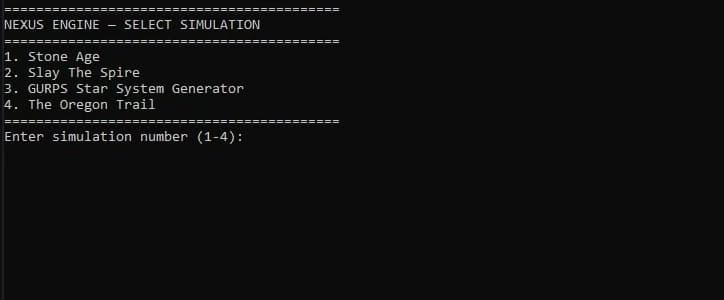
Here's what the engine looks like right now. On the surface it's a pretty primitive console application. But it shows the main thing well - that different mechanics run on one universal engine.
Right now it runs four simulations. The first is Stone Age, the studio's very first game, from 2013. The other three are based on other people's projects. I'm not going to copy or release them, they're here only to show that completely different game mechanics can run on one engine.
Stone Age
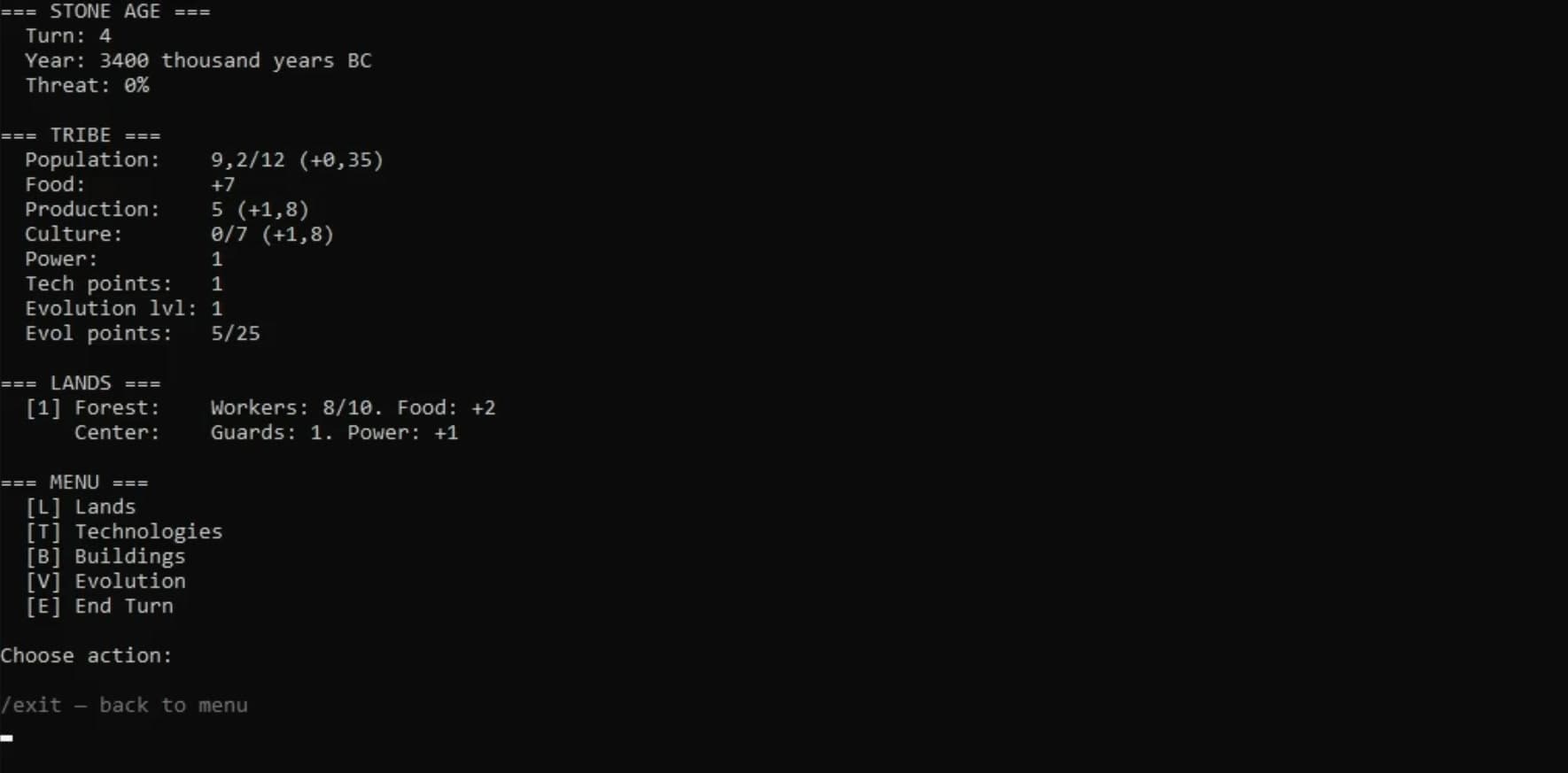
Stone Age is reproduced on the engine in full. The same stats, years and turns, population, lands. You send workers into the forest, they gather food, the population grows, technologies appear - you research them, unlock buildings and the evolution tree, from Australopithecus to Homo habilis and on. Events, the ending - everything from the original is here.
Slay the Spire
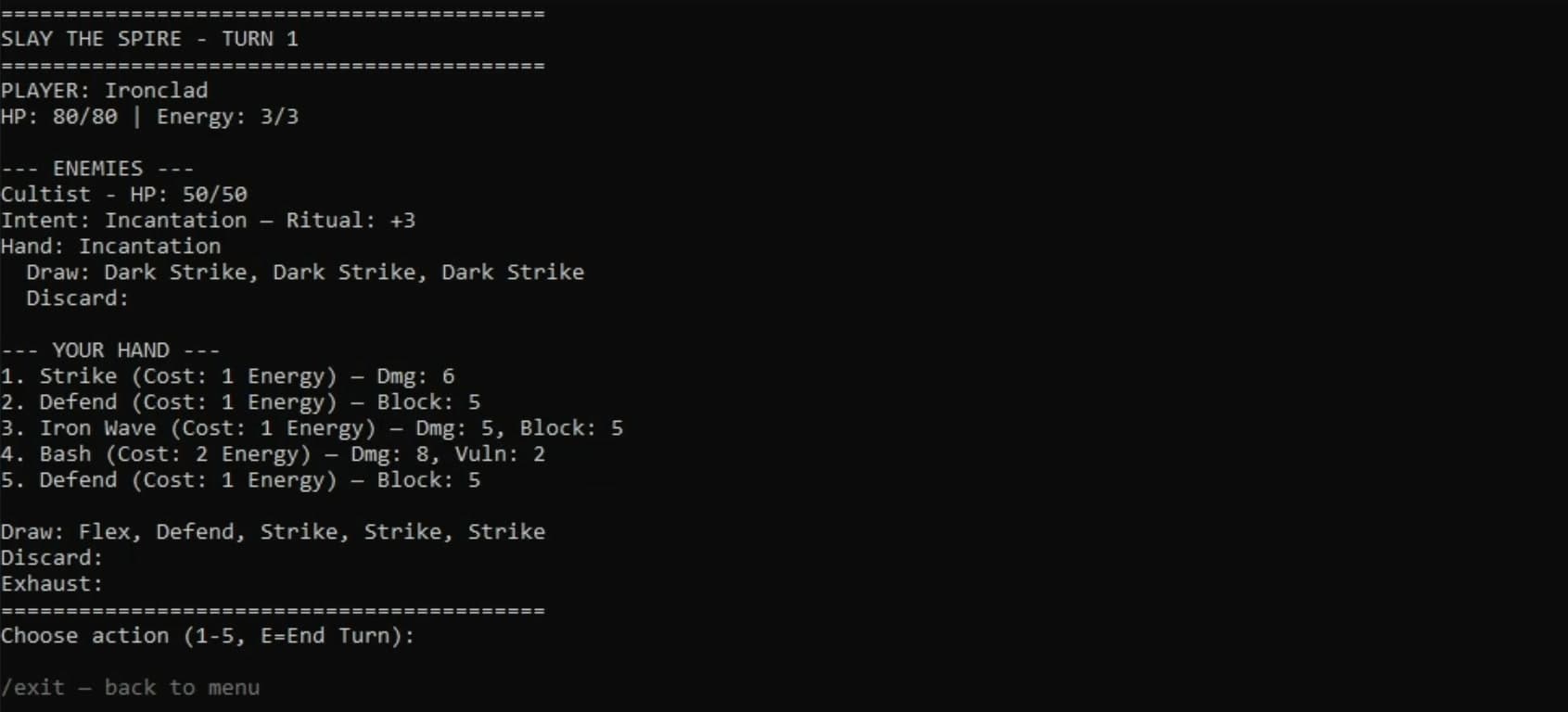
Next is Slay the Spire, an excellent card roguelike, some of you have surely played it. On the engine it's only the fight: the player has cards, energy and health, and the enemy has an intent. Strike hits, Defend gives block. You spend energy, end the turn, and so on in turns until someone wins.
GURPS
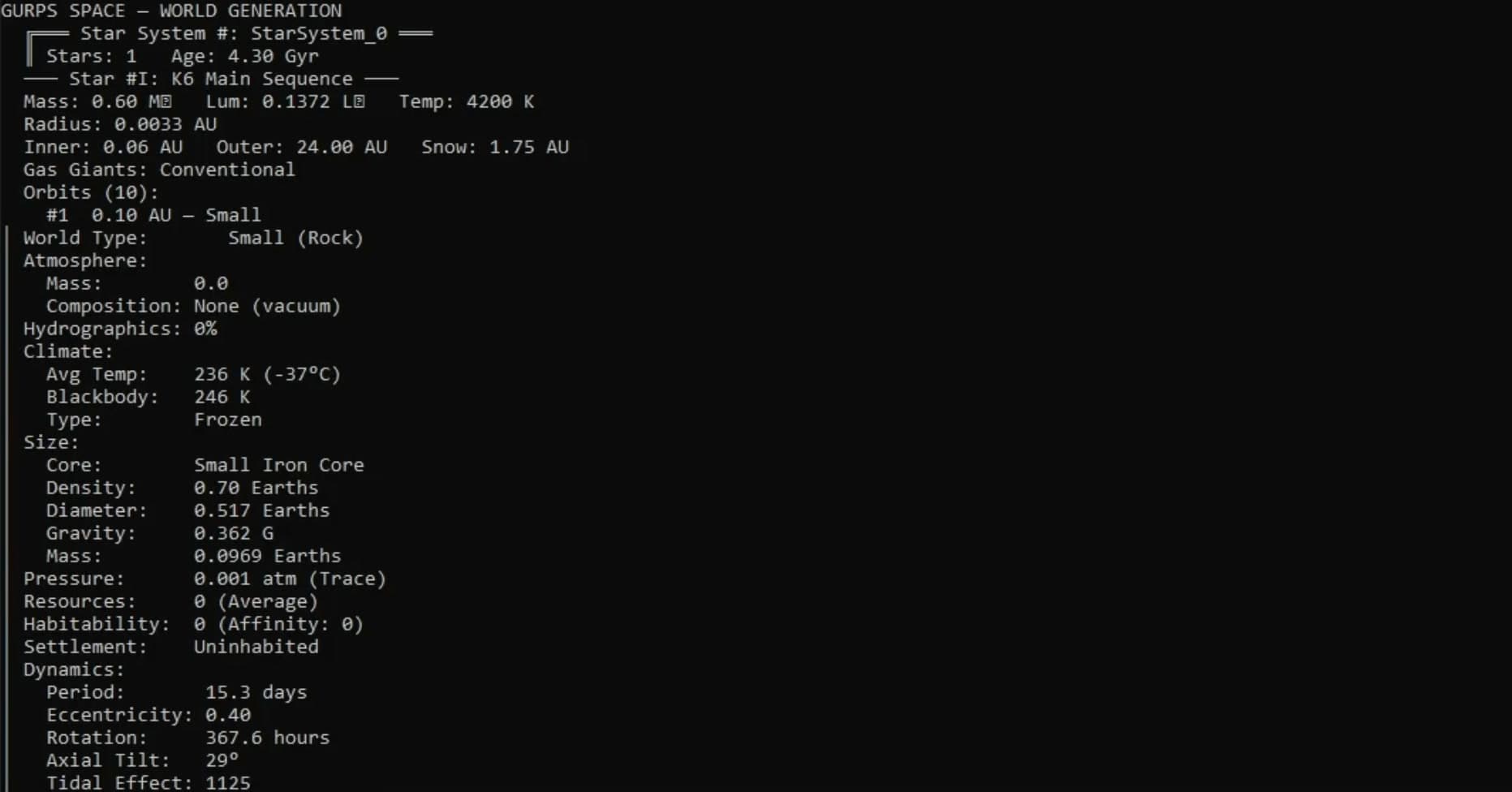
The third simulation is GURPS, a tabletop system, fairly complex. From it I took just one module, the star system generator. What's interesting is that this module itself isn't a game at all, but a complex generator. It built a system with one star and a pile of properties: ten orbits with different worlds on them. The first one, small and rocky, is like Mercury - with its own mass, atmospheric pressure and the rest. In all, this simulation has more than six thousand facts. It's a good stress test: you can see how much data the engine handles.
Oregon Trail
The fourth is Oregon Trail, a 1971 classic and one of the earliest computer games. It's a journey of settlers across America by wagon: before the road you buy supplies - oxen, food, ammunition, clothing - and then you hunt, ration the food and deal with events. We just got attacked. And so on to the end of the trail.
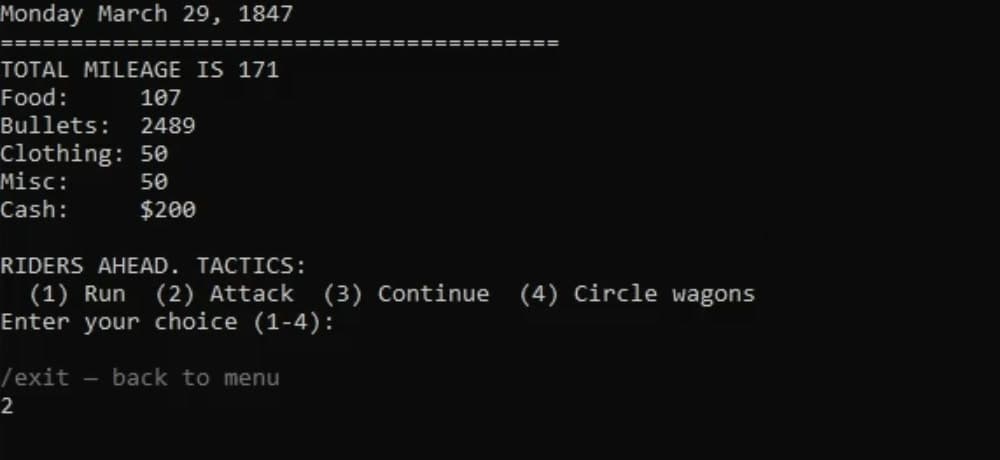
All four games run on one engine, and no code had to be written for any of them.
Editing on the fly
But the engine doesn't just run these games - you can change them on the fly, without touching the code. Let's take Slay the Spire.
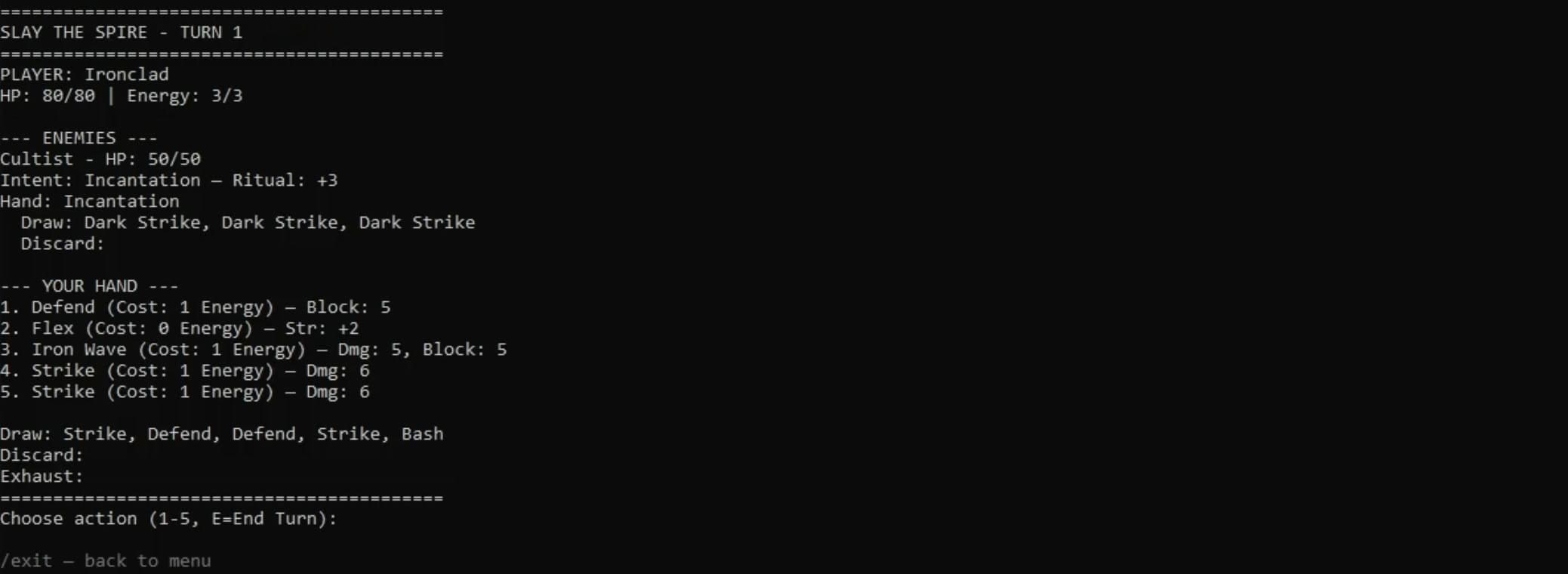
I'll change the damage of the Strike card, set it to 100:
/set Strike.CalcDamage Value 100The property changed at once on both of these cards, because they share the same class.
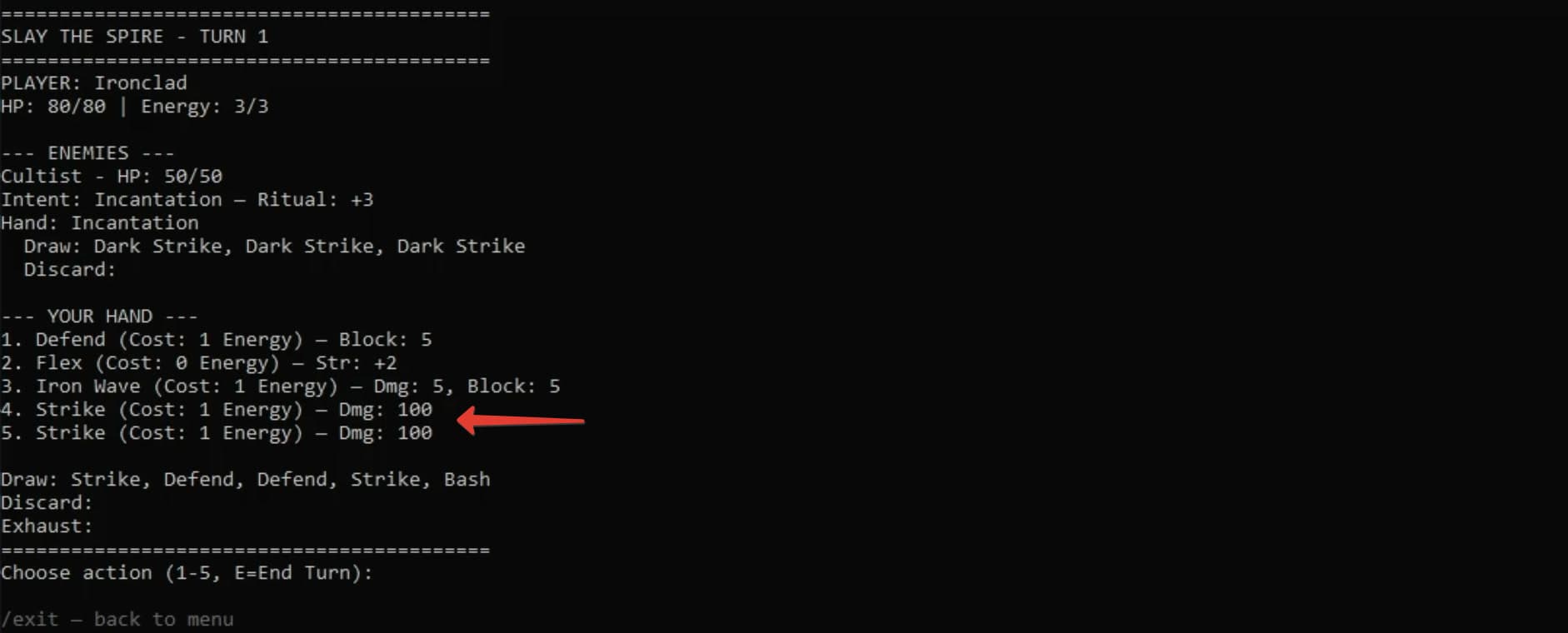
And I can add a completely new card, Fireball:
/add Fireball Is DirectDamage
/set Fireball.CostEnergy Value 2
/add Fireball Has CalcDamage
/set Fireball.CalcDamage Value 20
/add Fireball Has ApplyDamage
/add Fireball.ExecutionEffects Has CostEnergy
/add Fireball.ExecutionEffects Has CalcDamage
/add Fireball.ExecutionEffects Has ApplyDamage
It wasn't there, and now it's in the game - it sits in hand, gets played, deals 20 damage and goes to the discard pile, like any other:
You can change the rules themselves too, with a single command. I'll remove the rule that sends played cards to the discard pile.
/remove PlayCard Has MovePlayedCardNow they stay in hand. I played Defend: the block went up, the energy was spent, but the card stayed.
![After the rule change: Defend is played - energy 0/3, block 5 - but all the played cards stay in hand, marked [X]](/_next/image?url=%2Fvblog1_slayrule.jpg&w=3840&q=75)
In an ordinary game written in a programming language, you'd have to dig into the code and rebuild the project for this. Here you don't need to.
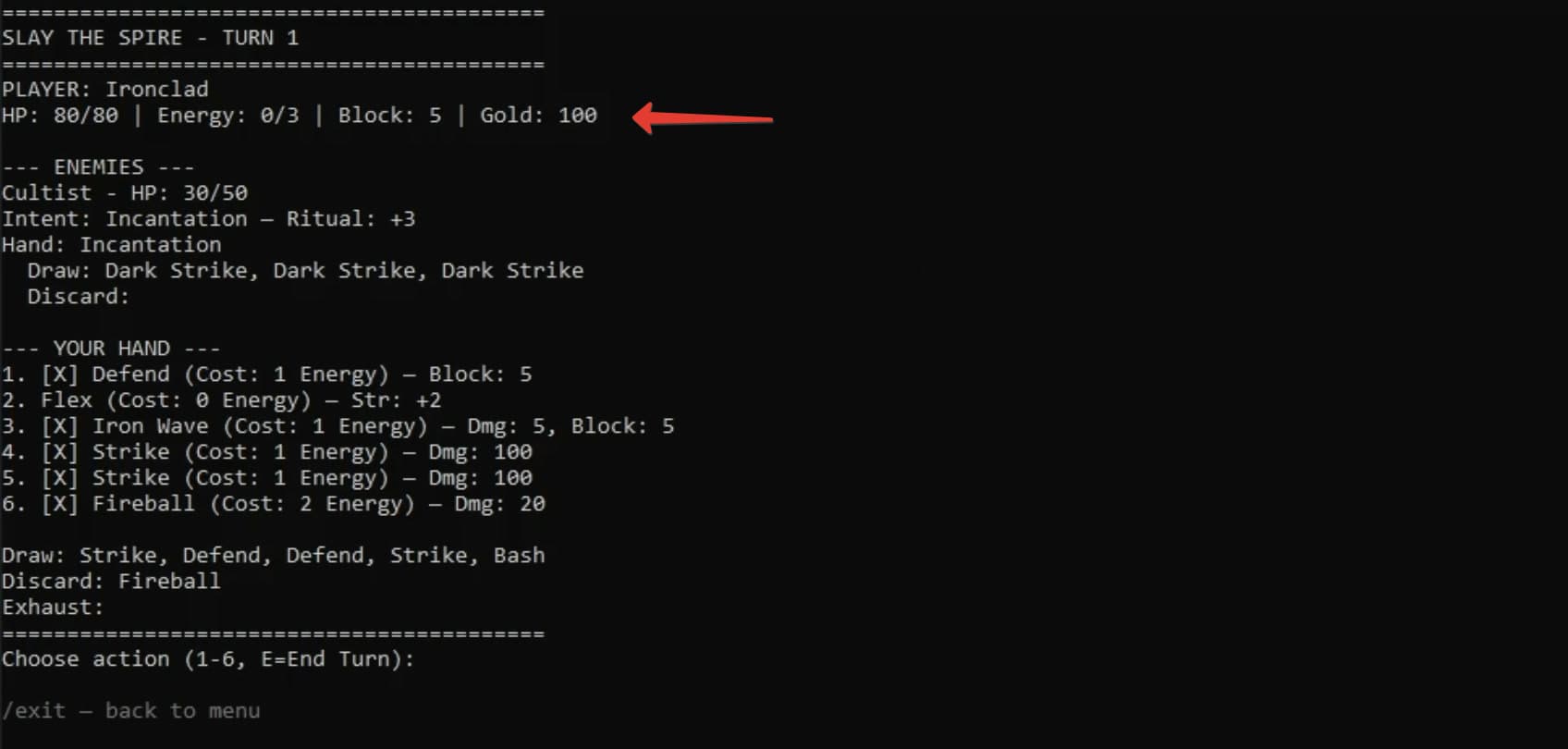
In the same way you can add things that weren't in the game at all. Gold, for example - I'll set it up and describe how it's spent:
/set Player.Gold Value 100
/add CostGold Output Owner.Gold
/add CostGold Math.Subtract.Apply true
A property appears that wasn't there a moment ago - gold, and a whole hundred of it right away.
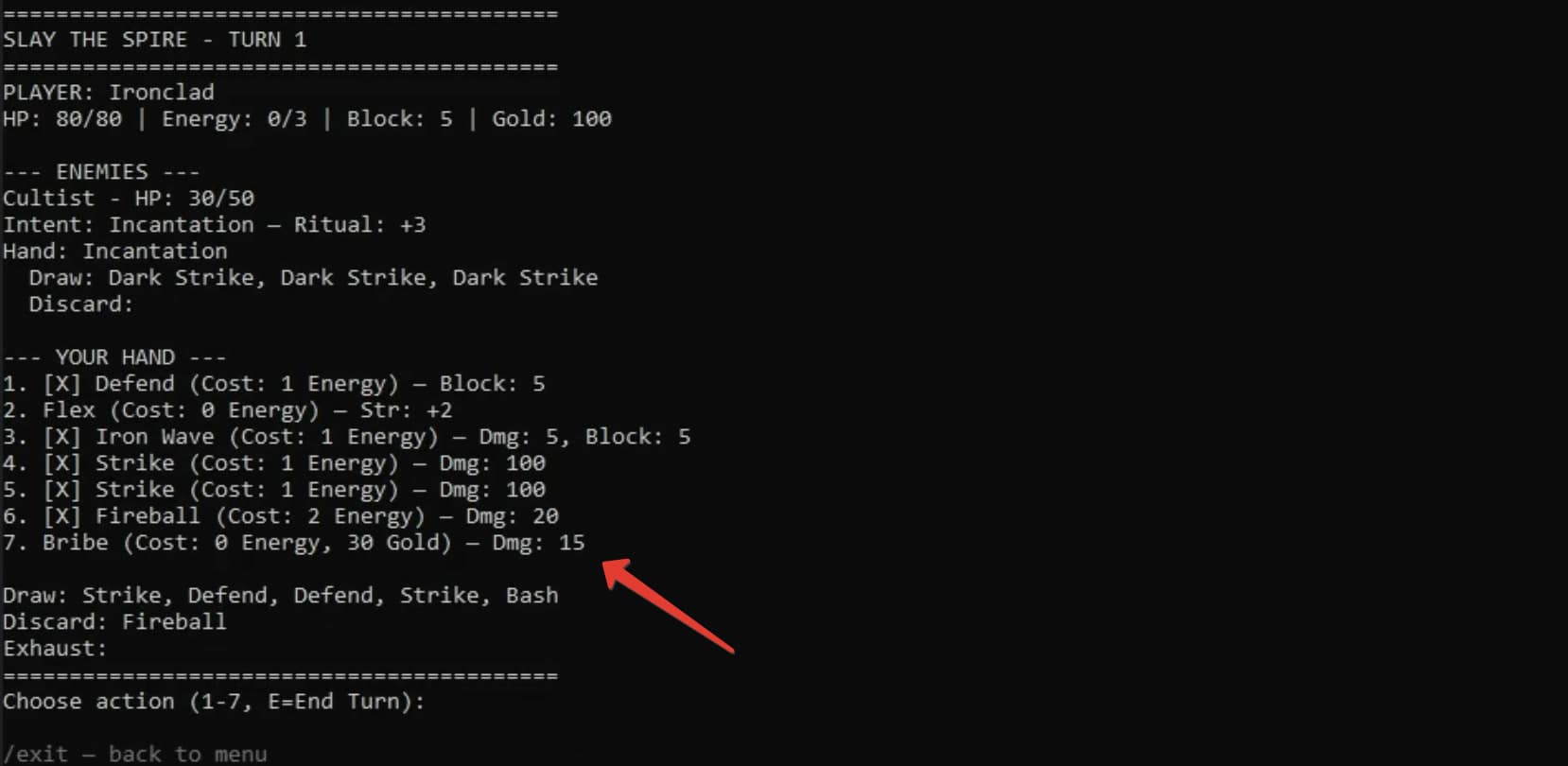
With that gold in place, you can build a new action too - Bribe. It spends gold instead of energy:
/add Bribe Is DirectDamage
/set Bribe.CostEnergy Value 0
/set Bribe.CostGold Value 30
/add Bribe Has CalcDamage
/set Bribe.CalcDamage Value 15
/add Bribe Has ApplyDamage
/add Bribe Has CostGold
/add Bribe.ExecutionEffects Has CostGold
/add Bribe.ExecutionEffects Has CalcDamage
/add Bribe.ExecutionEffects Has ApplyDamage
/create Bribe Player.Hand
Bribe costs thirty gold and deals fifteen damage - and it works right away.
It might look like cheating, and like these commands are clumsy to type. But they aren't cheats. This is editing the logical facts and data the whole game rests on - its objects, properties and mechanics. It's essentially the language the game is written in.
You don't have to learn this language. You can ask the AI to turn a plain phrase into commands Nexus understands. For example:
give 999 goldPlain English - no command syntax, just what I want.
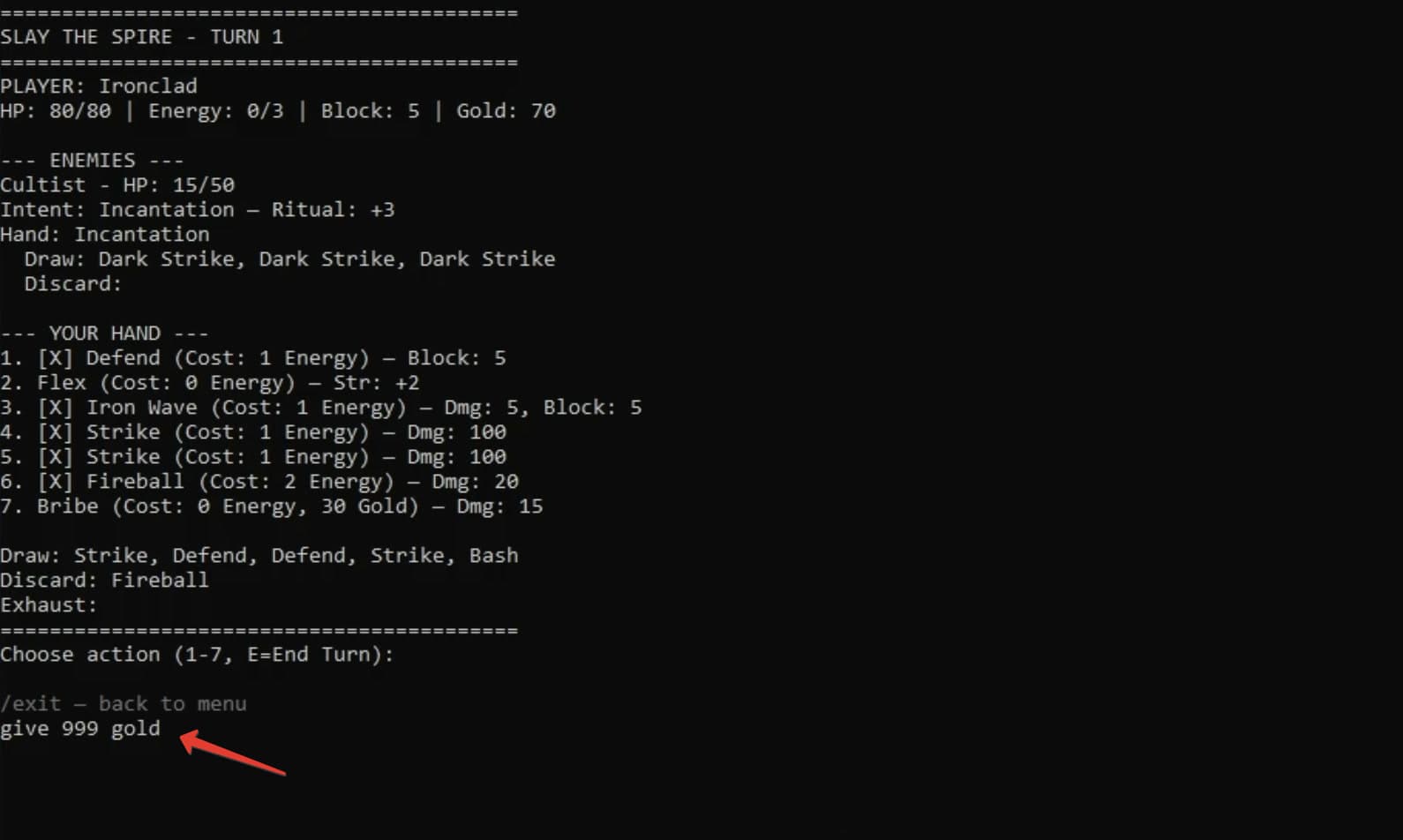
The AI thinks, finds the right command and runs it, and we have 999 gold.
You can phrase it differently - 'gold 100' works too. 'Make me a god' - the AI hands you invulnerability. Ending the turn, attacking, healing - all of it can be done with words, the engine understands. And none of this is scripted, it all genuinely works.
Plans
I want to simplify the commands. Right now creating that same Fireball takes about eight commands, and I'm thinking of getting it down to three or four. And in the next video I'll try to show something more visual - a 2D render.
More about the engine and the plans in the Nexus section.
Disclaimer: Stone Age is the studio's game. Slay the Spire, GURPS and Oregon Trail belong to their respective owners and are shown only as an engine demo - these builds are not distributed anywhere.